Moving My Framer Blog with Claude Code
How I left Framer and moved my blog with Claude Code, what I fixed along the way, and where it stands now.
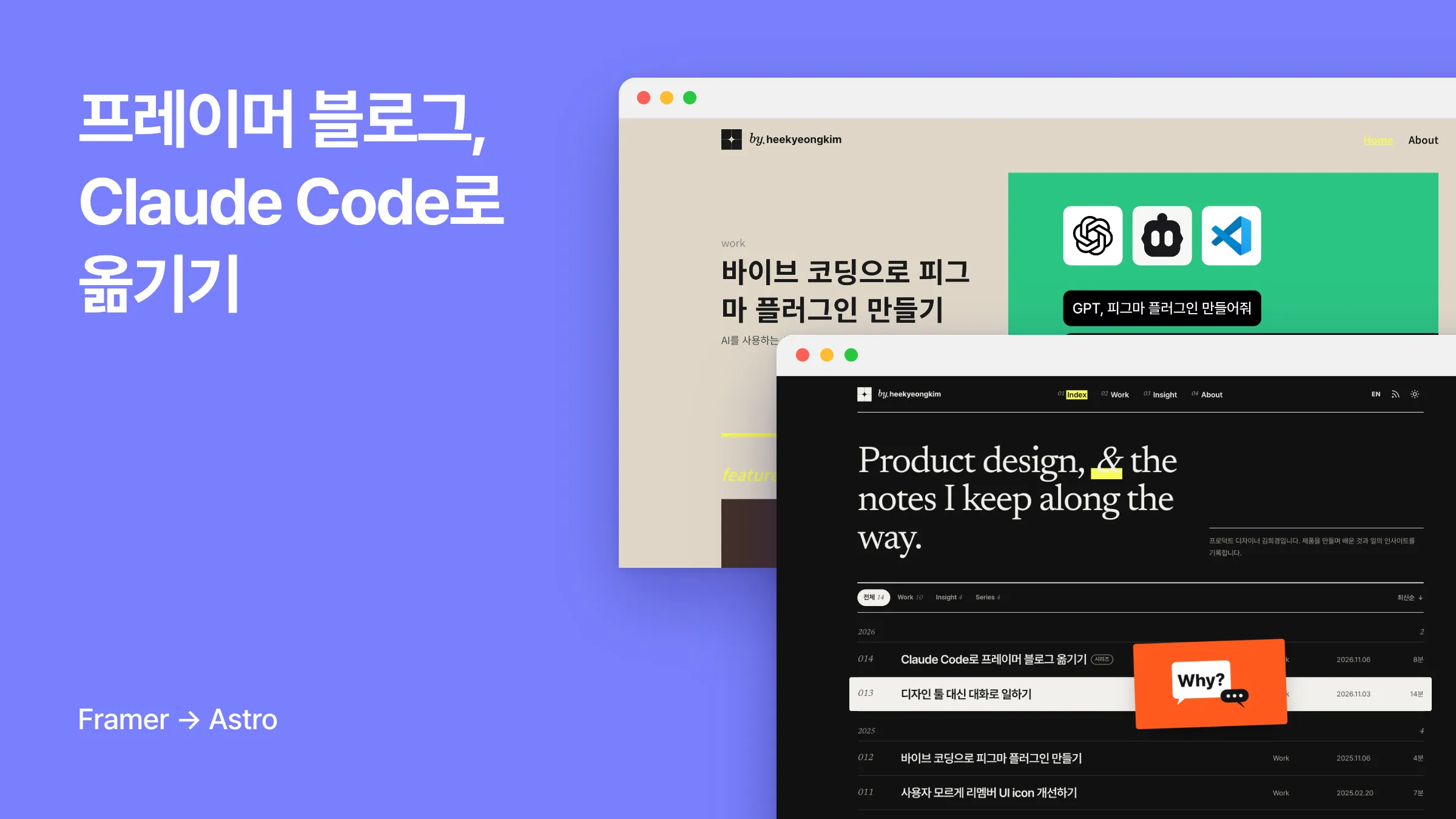
Series · Building a Blog with Framer (4/4)
It’s been three years since I built this blog with Framer. I liked the tool enough to write a three-part series on it, from how to use it to what running the blog was like and getting it into search results, and I even brought it into my company (in Korean). Recently, I moved this blog from Framer to Astro and Cloudflare Pages. I don’t know how to code, so I did it by talking with Claude Code, and I kept every post’s URL the same.
In this post, I’ll share what I found lacking in Framer, how I moved, what got less convenient after the move, and where the blog stands now.
Why did I move away from Framer?
I used Framer because it made design easy and had an editor. I could build a site exactly as I designed it without knowing code, which is how a non-developer like me was able to start a blog. But after three months of working with Claude Code at my company (in Korean), I started to think I could build something like a blog without an editor, so I asked:
“I’ve been using Framer because it made design easy and had an editor, but now that I have Claude Code, I think I could build this pretty simply. Is there a way to move it over while keeping my SEO?”
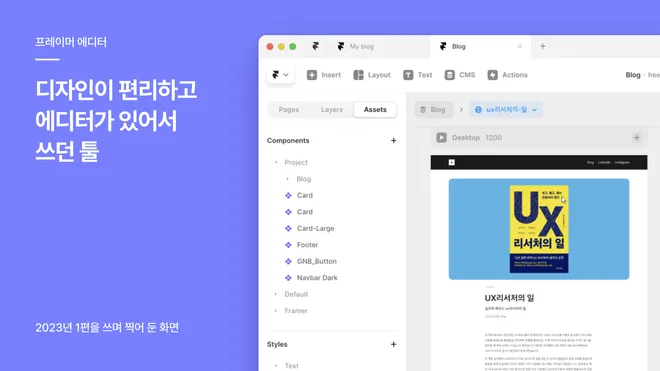
On top of that, there were things I’d found lacking over three years of using Framer.
Subscription fees
To use my own domain on a personal blog, I needed a paid plan, and to keep the CMS I had to be on the Basic plan. (I covered this in detail in part 2. The plans may have changed since.) The subscription was charged on top of the domain cost, and it kept being charged even as it got close to a year since my last post.
Moments that needed code
As I wrote in my post on bringing Framer into Remember (in Korean), Framer isn’t a fully no-code tool. To apply advanced styles to CMS content or add features for tracking data, you have to write code. If you don’t know code, like me, that’s where you get stuck.
RSS was one of those things. In part 3, Naver Search Advisor asked for an RSS URL when I registered my site, but when I asked Framer, they said they wouldn’t support it for the time being, so I skipped that step. When I checked right before the move, my site still had no RSS URL.
What you can’t see in the editor
During the move, I also looked at the HTML that actually gets served. If you open the same URL on the Framer version, which is still up, and on the current site, you can see these differences.
-
AS-IS (Framer)
-
Post page HTML: 704KB
-
3 h1 headings on the home page
-
No structured data or RSS feed
-
-
TO-BE (now)
-
Post page HTML: 56KB
-
1 h1 heading on the home page
-
Structured data and RSS feed
-
Having three h1s on the home page was probably my doing more than Framer’s, and I could probably have added structured data with some code. Still, these were things that were hard to notice just by looking at the editor.
How did I move it?
The whole thing took nine days, from October 29 to November 6 (six of which I actually worked on it), and there were 35 commits changing code and posts before this post went up. That said, the move itself was done on the first night. The rest was time spent fixing things while I was at it.
Where to move?
Claude recommended Astro, so I asked, “Why do you recommend it? Is there a better framework?” It showed me a table comparing it with Next.js, Hugo, Eleventy, and Jekyll. I don’t have the knowledge to compare technologies, so I listened mostly for what would change in my situation. When it explained that Astro was the right fit for a site that’s mainly a blog and portfolio, I decided to go with it.
For deployment, I chose Cloudflare Pages, which is free to use and deploys automatically when I push to GitHub. Not having a visual editor came up as a limitation, but I figured I could open a preview inside the Claude Code app and make changes while looking at it, so I didn’t see it as a big problem.
In short, what I used to do in Framer changed like this.
-
Designing while looking at the screen → Keeping a preview open and making changes by talking
-
Managing posts in the CMS editor → Managing posts as Markdown files
-
Deploying with the Publish button → Deploying automatically when I push to GitHub
Keeping the design as it was, for now
I wanted to change the design too, but I decided to do the move and the redesign separately. If I changed both at once and search rankings shifted, I wouldn’t be able to tell which one caused it. So at first I copied the existing design as it was, and carried over the post URLs, titles, descriptions, and share images unchanged.
Since I can’t read code, the only way I could check that everything had moved over the same was through screens and numbers. The AI compared the post content on the original and new sites block by block (one post had as many as 54), down to height and position. I looked at the pages in a browser, confirmed with “Apart from the interactions, it looks like most of it came out pretty similar,” and moved on to the next step.
Switching the domain
So that I could roll back if something went wrong, I kept the Framer project and only pointed the domain to the new site. (I found out later that Framer had already switched to the free plan, so to actually roll back, I would have had to subscribe again.)
From here on, it was one unfamiliar term after another. I made a Cloudflare account for the first time, and at one point I put my home page URL in the sitemap field in Naver Search Advisor and asked why it was giving me a format error.
I handled creating accounts and granting permissions, and we went through the rest one step at a time while looking at the browser together. I brought it up at 10:38 p.m., and about two hours later, I’d finished registering with Naver as well.
Things I updated while I was at it
Redesign
A few days after the move, I changed the design. Before touching the code, I first got mockups made with real posts and thumbnails, picked the background tone and main tagline, and then applied them.
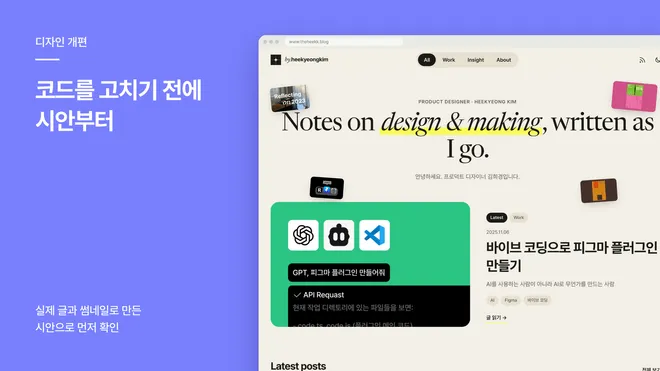
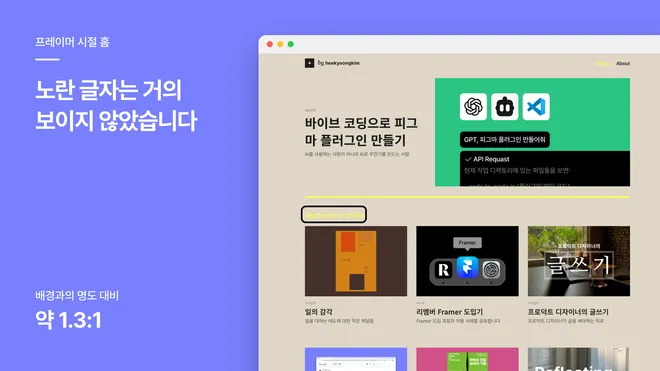
The mockups also pointed out problems with the current blog. Yellow text on a beige background, like ‘featured articles’ on the home page from the Framer days, had a contrast ratio of only about 1.3:1, so it was barely visible. So I decided not to use yellow for text, and to use it only for highlights and the background of the active tab.
I didn’t like everything in the mockups. Quotes on post pages were rounded boxes with a yellow line on the left, which somehow looked like an AI-made design, so I asked for another suggestion. That’s how they became the quotes you see now, with the box and colored line removed and only the text made larger.

RSS subscribe page
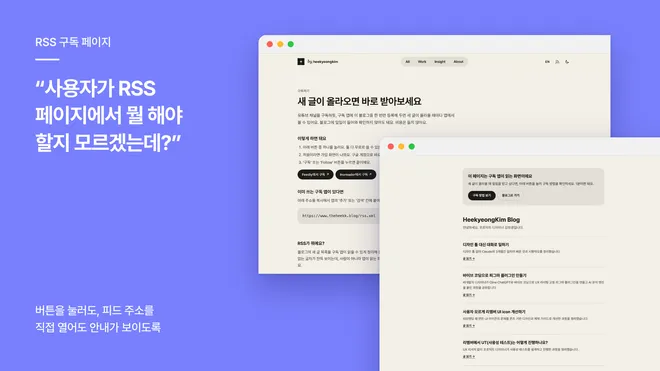
RSS, which I couldn’t have in Framer, came with the move right away. But when I actually clicked the RSS button in the header, the whole screen was just code. When I asked, I was told that feed files normally look like that and nothing was broken, but as a visitor, I’d have no idea what to do.
So I changed the button to open a subscribe guide page that explains how to subscribe, and rewrote the explanation in words that people who aren’t familiar with tech can understand. Now even opening the feed URL directly shows the guide. (I’d love for you to subscribe…🫶)
Search visibility, cleaning up posts, and an English version
Beyond that, I opened up the About page, which had been left out of search, added structured data to every post, and rewrote the descriptions and image alt text. I took down 2 posts I’d put up early on when I didn’t have much to post, and brought over 3 posts I’d written for the Remember tech blog.
Since posts are now managed as files, it’s also easy to edit many of them at once, so I checked and fixed typos and subheadings across 13 posts in one go. I also wanted to share the blog with readers outside Korea, so I added an English version and 3 translated posts.
What got less convenient after the move
I have to look after speed myself
With lighter HTML, I assumed the site had gotten faster, but when I ran PageSpeed right after the redesign, mobile performance scored 50. On a first visit, the whole page shifted once (CLS 1.002), which was caused by where a script was placed on the new site. Fixing that brought it to 74, and removing the AdSense script, which used about 285KB without even filling any ads, brought it to 88. (I never measured the score in the Framer days, so I can’t compare them directly.)
There are more places to keep an eye on
In my post on bringing Framer into Remember (in Korean), I named ‘all-in-one’ as one of Framer’s strengths. What used to be handled entirely inside Framer is now split up like this. (The domain, GA, and Search Console were managed separately even when I used Framer, so those stay the same.)
-
GitHub: Storing posts and code, change history
-
Cloudflare Pages: Hosting, deployment, and DNS
-
Astro and Node: Keeping the framework and runtime versions up to date
To upgrade Astro to a new version, I had to update Node on my computer first and change Cloudflare settings too. One day a deployment was stuck ‘in progress’ for over 15 minutes, so I had to deploy again. And when I checked right after the switch, the domain was still pointing to Framer, so I had to keep checking. (It seems the settings just took time to propagate.)
It’s something I can live with for a blog I run alone, but if it were a company site where several people edit content directly, I’d probably still think of Framer first.
I can’t read code, so I check the results
I checked the preview before publishing, compared pages before and after big changes, and checked the live site again after deploying. I also set it up so deployments only happen after I’ve checked, and I left to-dos and decisions in a handoff document so the next session could pick up where I left off.
Where the blog stands now
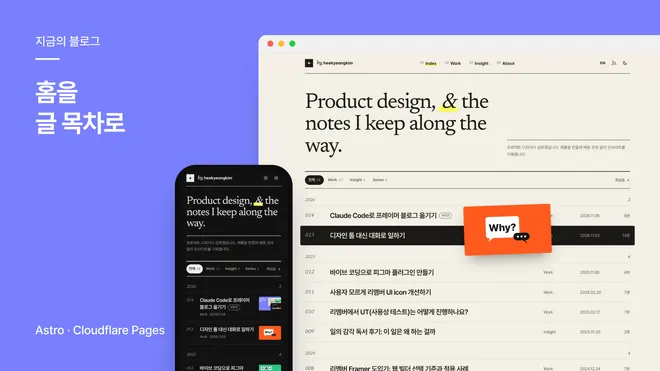
Two days after publishing this post, I changed the home page once more. I removed the featured posts and the thumbnails scattered around, and turned the home page into an index of all posts by year. On desktop, hovering over a post title makes its cover follow the cursor, and on mobile, a small thumbnail appears next to the title. I also changed the menu into a numbered index, and on mobile it opens as a full-screen menu.
-
Posts: 14 including this one, 7 English translations
-
Cost: Hosting and the repository are free, and I only pay for the domain. (Claude costs extra, but I don’t use it just for the blog.)
-
Speed: As of November 3, when I last measured, 88 for PageSpeed mobile performance and 100 for Accessibility, Best Practices, and SEO
-
Search: Resubmitted the sitemap without changing any URLs, and watching to see whether indexing holds
-
Framer subscription: When I went to cancel it, I found it had already switched to the free plan, so there was no subscription to cancel.
There’s still work left to do. I need to measure speed again after the home page change, and decide whether to include full post text in the RSS feed.
Closing thoughts
After moving, I found I could check whether the URLs stayed the same, whether the pages looked as intended, and whether visitors could tell what to do, all without knowing code, and for a blog I run alone, that was enough. Still, I now have to take care of things Framer used to handle, so I’d suggest seeing this as an option worth considering if you run a blog on your own and it’s mainly about writing.
Three years ago, I ended part 1 by saying that ‘in the end, the most important thing in making a blog is writing content.’ Now that I’ve spent nine days fixing up the blog this much, I realize this is the first new post I’ve written for it in exactly a year.
Thanks for reading this long post!
This post was translated from the original Korean version. Read in Korean