Building a Blog with Framer, Part 2: Two Months In and a Paid Plan
Two months of running my Framer blog: what GA and Search Console showed me, why I switched to the paid Basic plan, and updates like a custom domain and a share button.
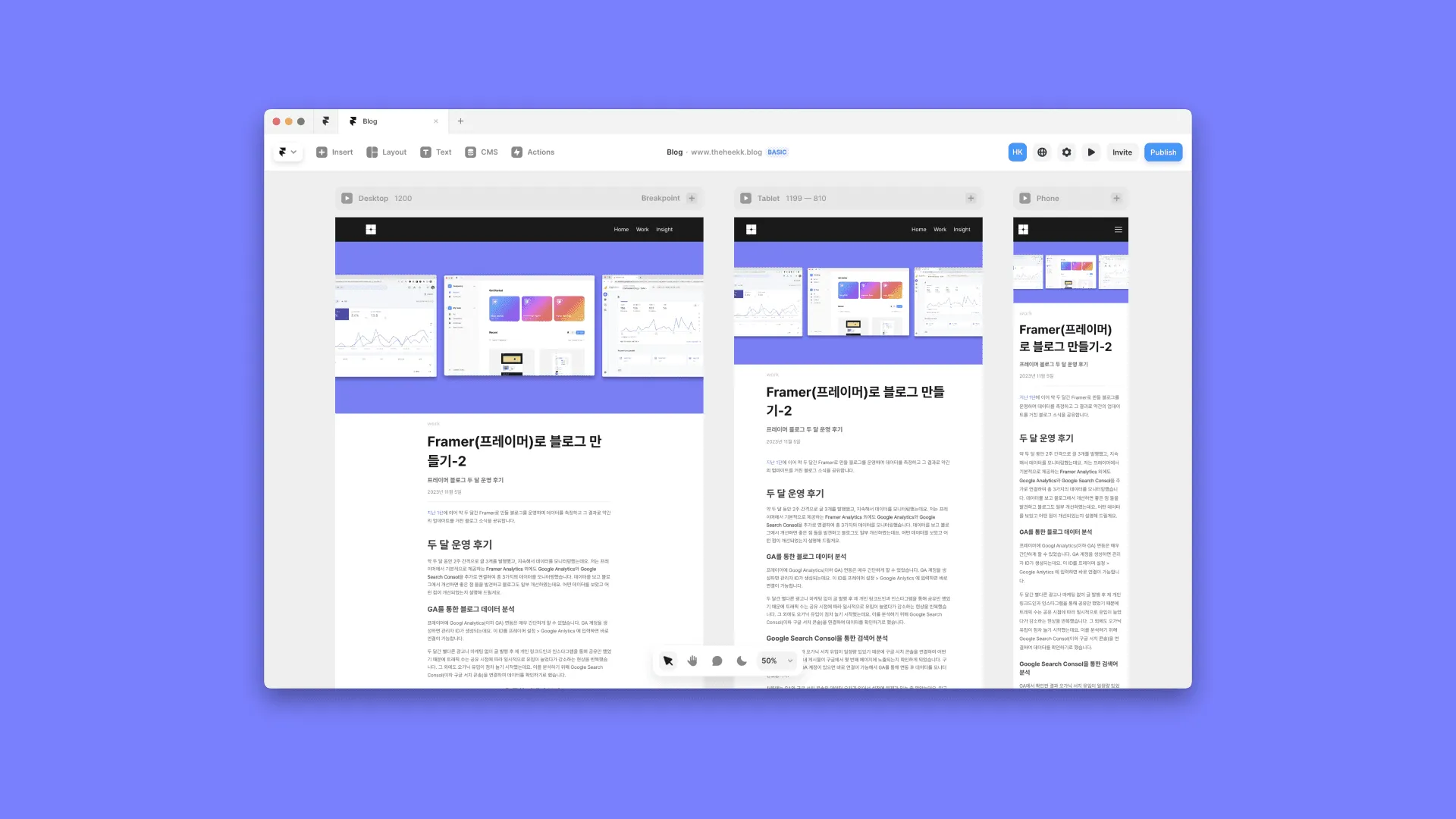
Series · Building a Blog with Framer (2/4)
Following Part 1, this post covers about two months of running the blog I built with Framer: the data I measured and the small updates I made based on it.
In short, you can run a Framer blog on the free plan, but a custom domain requires a paid plan, so I switched to Basic. I also checked which search terms bring people in with Google Search Console, changed the domain and menu structure, and added a share feature.
Two months in
Over about two months, I published three posts, one every two weeks, and kept an eye on the data the whole time. Besides Framer Analytics, which Framer provides out of the box, I connected Google Analytics and Google Search Console, so I was watching three sources of data. Looking at the data, I found things worth improving and made some changes to the blog. Here’s what I looked at and what I improved.
Analyzing blog data with GA
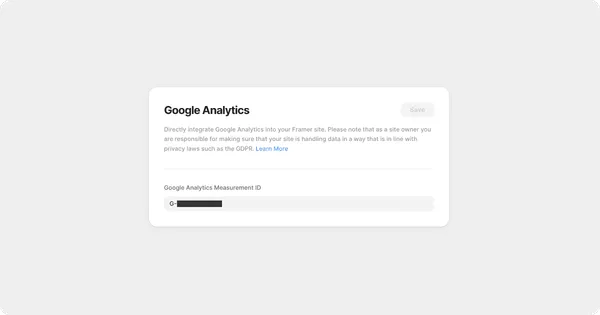
Connecting Google Analytics (GA from here on) to Framer was very simple. When you create a GA account, you get a measurement ID. Enter that ID in Framer settings > Google Analytics and it’s connected right away.
For those two months I didn’t run any ads or marketing. I only shared each new post on my own LinkedIn and Instagram, so traffic kept rising for a while after each share and then dropping again. Apart from that, organic traffic slowly started to grow. To understand it, I decided to connect Google Search Console and look at the data there.
Analyzing search terms with Google Search Console
GA showed a steady amount of organic search traffic, so I connected Google Search Console to see which search terms brought people in and which page of Google’s results my posts appeared on. If you have a GA account, you can connect Search Console right away too, so I linked it through GA and started monitoring the data.
At first the numbers in GA and Search Console didn’t match, and I thought I’d set something up wrong. It turned out that with a blog built in Framer, you have to request indexing in Google Search Console every time you create a page before it shows up properly on Google, and only then can Search Console collect data for it correctly.
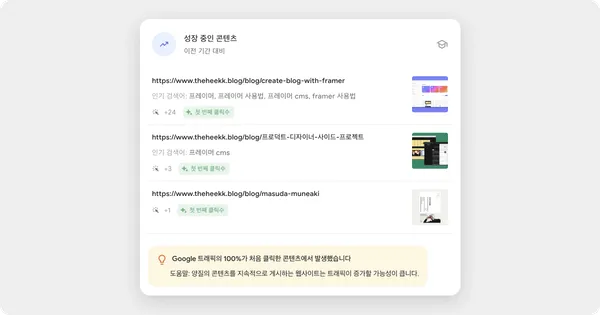
After indexing, the main organic search terms recorded were “프레이머” (Framer in Korean) and the titles of books I’d written about. As I create more content, I expect related keywords to show up as search terms and get my posts seen more on Google. It also made me think that claiming search terms early and creating content around them is something to try going forward, so my posts show up better on Google.
Why I switched to a paid Framer plan
Framer has two kinds of pricing, Team Pricing for your account and Site Pricing for each site, and you can pay for either yearly or monthly. I upgraded to Basic for my account plan and Basic for my site plan as well.
You can run a blog without a paid plan without much trouble. My main reason was that I run this blog for personal branding, so I felt I needed a domain that says who I am, and using a custom domain required a paid plan.
Running a blog also means using Framer’s CMS feature. Mini, the lowest site plan, is meant for one-page sites and doesn’t include the CMS, so I went one step up to Basic to keep using it. (The free plan does include the CMS by default.)
What you get with the Basic plan
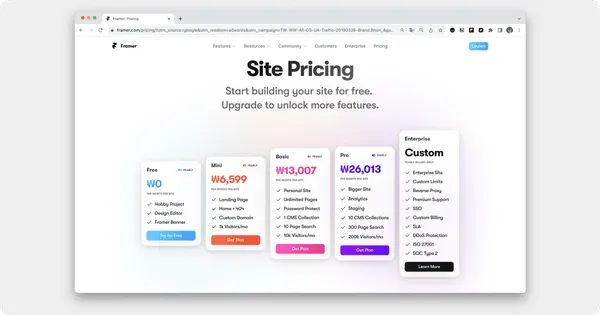
Besides the features I mentioned, the Basic plan gives you the following.
-
Unlimited pages
-
Protected pages (with password protection)
-
One CMS
-
Custom domain
-
Option to remove the Made in Framer banner
-
Traffic for up to 1,000 visitors a month
-
Search across 10 pages of data
Blog updates
Thanks to existing features and the plan upgrade, I used some additional features to update the blog. Here are a few of the changes I’ve made so far.
Changing the domain
I moved the blog from heekyeongkim.framer.io, which I’d been using on the free plan, to https://www.theheekk.blog.
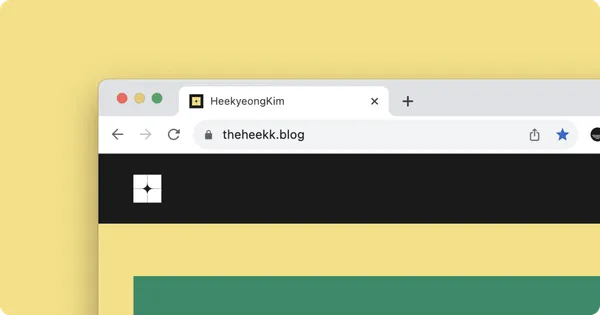
Changing the domain meant the hassle of setting up Google Search Console again, but I figured it would be easier to manage in the long run if I changed it before creating much more content, so I did that first.
Because of the new domain, I had to set up GA and Google Search Console again. Before, since it was a domain Framer provided, I only had to connect my ID. With a custom domain, I had to connect Framer with the hosting company I bought the domain from, verify in GA that the custom domain actually exists, and register the new domain with GA and Google Search Console again.
Along the way, I ran into some problems with Google Search Console.
Content indexed under the old domain and content indexed under the new domain were treated by Google as duplicate content, so they didn’t show up properly in search results. That meant extra tedious steps, like removing the old content from Google and registering it again. It didn’t get resolved as quickly as I expected, so it was quite a chore.
Changing the blog’s IA
When I first planned the blog, I meant to add a portfolio as well. Once I decided to keep this website to just a blog, I changed the menu structure.
-
AS-IS
-
Home: featured content
-
Blog: all content
-
LinkedIn
-
Instagram
-
-
TO-BE
-
Home: all content
-
Work: a blog subcategory
-
Insight: a blog subcategory
-
I changed to a menu structure that focuses more on the content, and moved the contact information into the footer as a single entry point.
Adding a share feature to posts

Posts didn’t have their own share feature, so you had to copy the web URL and paste it in. I thought an easier way to share would help with promoting content and spreading it, so I added a copy-to-clipboard feature. Now every post is easy to share. (Please share away…🫶)
Redesigning the main page
Since I’d narrowed the site’s identity down to a blog, I removed the graphic that took up a big area of the main page and changed the layout so the content stands out more. Instead, I made the latest post the most prominent thing on the screen and added hover animations on desktop and tablet.
Closing thoughts
Before I built a blog of my own, the thing I worried about most when choosing between an existing platform and building it myself was how much exposure my content would get. As expected, a self-built website gets far less exposure than an existing platform, but I felt there was clearly something I could try through SEO.
That’s why I’m using GA and Google Search Console to analyze the main keywords that bring people to my blog, thinking about how to get a bit more exposure, and continuing to look for new approaches.
In the end, what matters is the content, so I plan to focus more on making good content and keep trying different ways to get the word out about it.
I’ll turn whatever new things I try into another post and share it. Thanks for reading this long post!
This post was translated from the original Korean version. Read in Korean